A system administrator is able to update the sample Certificate of Insurance form. This can be done by following these steps:
- Navigate to the Settings Panel
- Click on System menu
- Find the Sample Certificate of Insurance setting
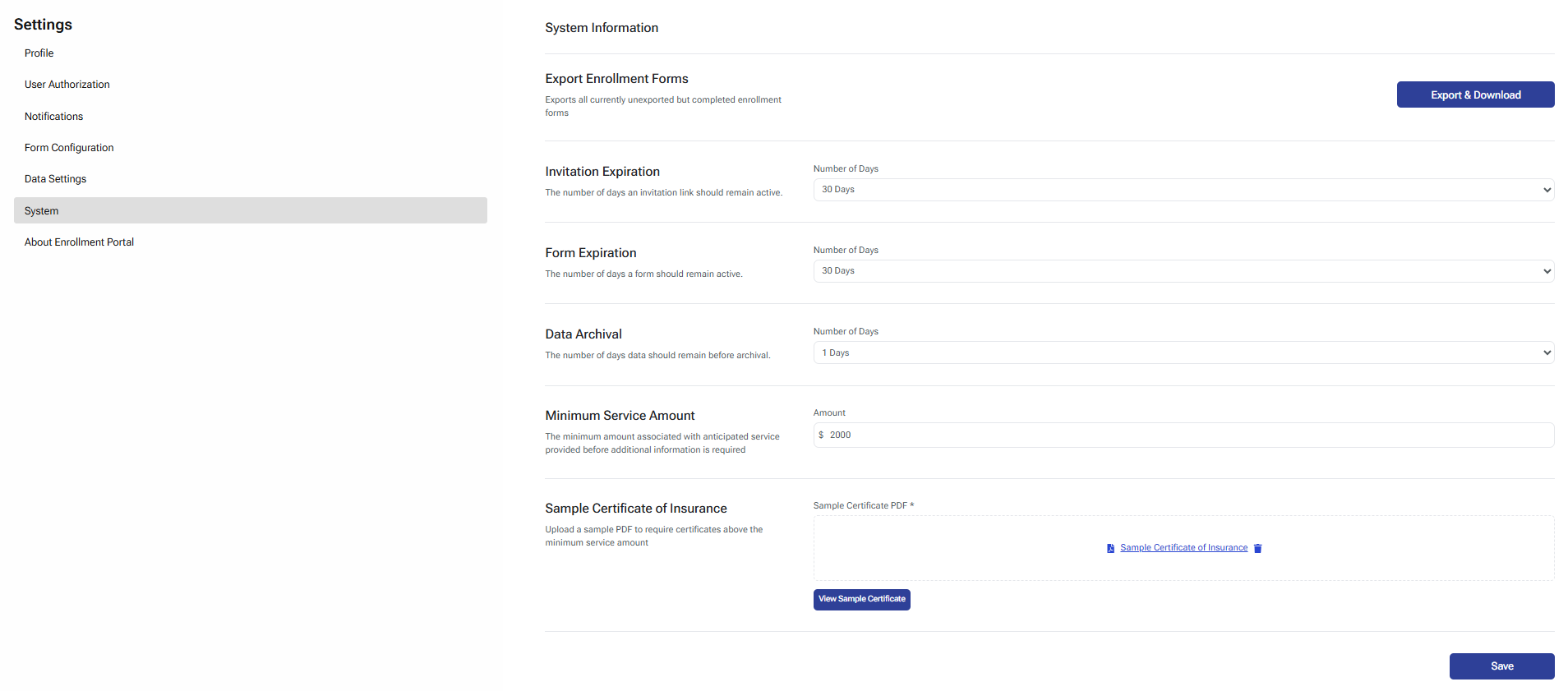
- Click on the pdf icon located to the left of the Sample Certificate of Insurance title

- Select the new sample file from the file dialogue box
- Click Open
- Click the Save button to save the setting change
Was this article helpful?
That’s Great!
Thank you for your feedback
Sorry! We couldn't be helpful
Thank you for your feedback
Feedback sent
We appreciate your effort and will try to fix the article